• Skip to primary navigation
  • Skip to main content
  • Skip to primary sidebar

Lots of Helpers

Our family's life in New Zealand

  • Home
  • Our Library
  • Math Freebie
  • Contact Us
  • Legal Policies
    • Disclosure and Disclaimer
    • Privacy Policy
You are here: Home / Archives for Product Review

Product Review

Product Review—K5 Learning

June 7, 2017 by NZ Filbruns Leave a Comment

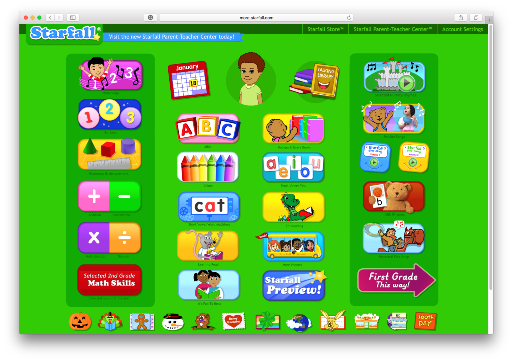
My 5-year-old has been asking for school, and begging me to teach him to read. I’ve given him the attention I could, but I wasn’t sure he was really ready to learn to read, so I haven’t been pushing him at all. When the opportunity arose to review K5 Learning, I showed it to him and asked him if he wanted to try it. He was excited to do this online program, and couldn’t wait till I got the information about logging in to do it. He faithfully does his “school on the computer” every day, and wants to do the worksheets, too. K5 Learning
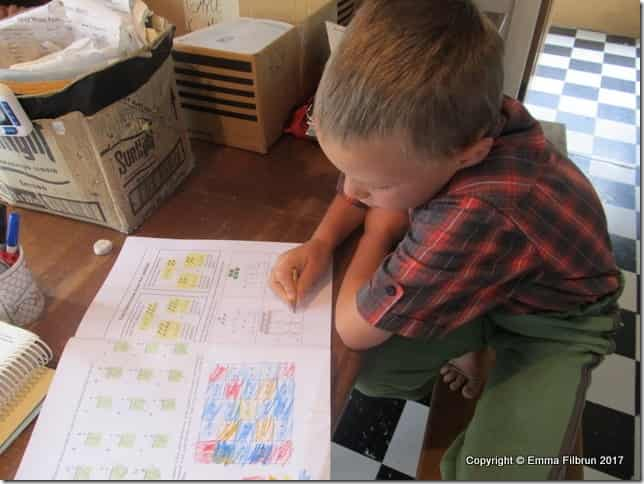
There are three parts to the K5 Learning. Mr. Imagination has only been using the Reading and Math; he’s too young for the Spelling. He is doing very well with the Math part. I usually just let him do it by himself, because I’m busy helping the older boys with their schoolwork when he does it in the morning, but a couple of afternoons when I’ve been working in the kitchen he has wanted to do his school, so I’ve gotten to observe. I couldn’t believe what he was able to do! He was supposed to put numbers in order the one time, and they gave him 90, 91, 92, 93, 94, and 95. He did it correctly without hesitation. He was also supposed to use the greater than and less than symbols (> and <) that day. He had a little more trouble with that, but caught on pretty quickly. Yesterday he was working on addition on it, and when he finished he came running into the kitchen saying, “Two plus two is four!” I quizzed him on a few other simple facts and he figured them out pretty fast, too.

22-IMG_2372

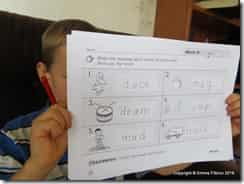
On the other hand, he’s having more trouble with the Reading section. I can’t tell that he’s really learned much there although he picked up rhyming words very fast from working with them on there. I’m guessing he is dyslexic and that reading will be a little harder for him. It does seem like K5 Learning does not start at the very beginning; my impression is that even Kindergarten starts with some prior experience presupposed. They do say they are a supplementary course, rather than a complete curriculum. My impression is that they spend more time working on sight words than phonics.

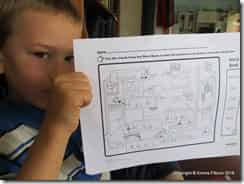
There are worksheets to go with each lesson. You can actually use the worksheets without having an account. Mr. Imagination loves doing them, and has done very well. On the sign-in page, worksheets are suggested based on the lessons the child has been doing recently. (It looks, though like he didn’t understand what he was supposed to be doing on the one page here!)

03-IMG_2297

In my opinion, if you have a child who wants to play games on the computer, and you want them to be doing something educational, K5 Learning would be a good choice. As a replacement for other schoolwork, I don’t think it’s a very good choice. One thing that would make it a lot better would be the ability to choose the lessons you want your child to do, and to be able to start them where you want them. As it is, if you want them to be working at a different level from where the program puts them, you have to contact the website. I did do that when Mr. Imagination started out, because the math he was being given was too advanced for him. I asked them to reset him at the beginning of Kindergarten (he had tested between Low Kindergarten and Low 1st grade for reading, and Intermediate Kindergarten to Low 1st on their assessment), but when he got on again the next time he was still at the same place he had been before.

Mr. Sweetie has also used K5 Learning a few times. He mainly does in the evening after his chores are done, when he feels like playing on the computer. He has mostly done the reading part. He’s been given exercises like finding the main idea of a paragraph, or figuring out the meaning of words. They spent a lot of time having him do reading comprehension exercises. I did enjoy the opportunity to have him do the assessment and get a bit of an idea where he is academically. He tested from just below to well above grade level in the various areas they tested. Nice to know he’s average!

Since I don’t have anyone doing the spelling part, I took a look at it myself. There were two areas to choose from, Vocabulary Tutor and Spelling Tutor. In Vocabulary Tutor, you are given a definition and a sample sentence, and must determine what the word is. They do give you dashes to show how many letters are in the word. The Spelling Tutor is similar, except that they pronounce the word for you. In both cases, you have to spell the word correctly before moving on. They seem to be coordinated; for example, I misspelled a word on the Vocabulary part, and that was the first word when I switched to the spelling part.

My final opinion: There are pros and cons to K5 Learning. I like that it is self-directed; I don’t have to help my boys with it much at all. When they want to play something on the computer, they have an educational activity to do. I don’t like that it is sight-word based rather than phonetic. Also, you must keep in mind that it is not a complete curriculum, but supplementary. The part I don’t like about using as a supplement is that you can’t choose the lessons you want them to do. If you’re interested in seeing if this program is a good fit for your family, they offer a 14-day free trial. Up to four students are allowed per account.

K5 Learning {Reviews}


Crew Disclaimer

Filed Under: Book Reviews Tagged With: Homeschool Review Crew, Homeschooling, Product Review

Product Review—The Typing Coach

May 25, 2017 by NZ Filbruns Leave a Comment

I have been trying to teach my boys touch typing for a long time now. Esther learned when we still lived in America, using an old typing book I had picked up somewhere. It was very similar to the way I had learned, and really worked. The boys have been using a variety of computer programs, and none of them was working as well as I thought they should. I had been thinking about finding something else, so when The Typing Coach Online Typing Course, from The Typing Coach, was offered for review, I jumped at the chance. Mr. Intellectual has been using it for five or six weeks now, and he is really happy that he got to. The Typing Coach The Typing Coach

This program is quite different from the other online typing programs I’ve seen. It took awhile for Mr. Intellectual to get started with it, because there is a lot of introductory material to get through. To start out, you read a brief introduction, then watch a video introducing the method used in The Typing Coach. After that, you are asked to print several documents, which contain the passages you’ll be typing for practice, and then watch another, much longer video explaining how the course works. It took my boy several days to get through all that! The last step before actually learning to type is to do the Before and After Snapshot—type the Gettysburg Address for three minutes and take a screenshot of your results.

Finally, you’re ready to start the first lesson. That covers good posture while typing (mine isn’t very good all the time, to be honest). The second lesson covers the home row. It begins with an audio in which the instructor tells you where to have each finger and what letters to type. Then, you practice, using the student packet you printed out earlier, until you can get through several lines without a mistake. When you feel ready, take a test. You will not pass the test until you have 100% accuracy! The big difference I’m seeing between The Typing Coach and the other programs we’ve tried is that you are not to look at the screen. You are to keep your eyes on the paper you’re copying from. While you listen to the audio, of course, you won’t see anything on the screen, either. You are to type in a word processing program, such as Microsoft Word or Google Docs. That makes it work much like real life.

Does it work? Yes, at least for Mr. Intellectual! He already knew how to touch type, but was very slow and not accurate. He had been averaging 6-10 words per minute, with several errors. Today, when he did the Top Row Learning Check in The Typing  Coach, he typed 11 words in 40 seconds, with no errors. He’s pretty happy to be able to type faster. In fact, when he writes stories, he is now typing them rather than using a speech-to-text program! I will probably be using this program for some of my other children in the future (you don’t want to use it with children much younger than about sixth grade, unless you have time to help them through it). One thing I really appreciated is that Mr. Intellectual was able to do this program pretty much on his own.

We did have some frustrations with this course. At first, the website seemed pretty clunky and hard to navigate. After playing around with it and looking closer at everything, we found what we needed, though. We did notice that things were changed as we used it, and it’s actually much better than it was before. Another frustration was that you have to wait two days, to the minute, before retaking a test that you have failed. That is especially aggravating when you’ve left Caps Lock on accidentally! We did find a way around that, though; if you enter a different name you can retake it immediately, so my boy used his middle name a couple of times. However—remember that the purpose of this course is to teach mastery and accuracy! That is why the rule about not doing the test again immediately. You are to practice and practice until you are absolutely accurate. 1-IMG_2369

The suggested pace is a lesson a week for ten weeks. Mr. Intellectual hasn’t quite held to that pace, because life is pretty crazy around here; he’s finishing lesson 3 right now. We’ve had a lot of days we had to take off school to go to Christchurch for appointments, or other life happenings, including our upcoming trip to America. He has learned a lot, though, and plans to finish the course after we get home. I highly recommend this course for anyone who wants to improve their typing speed or accuracy, but you will have to have the patience to figure out the course.

To read what 100 reviewers think about The Typing Coach, click here: The Typing Coach Online Typing Course {The Typing Coach Reviews} Crew Disclaimer

Filed Under: Book Reviews Tagged With: Homeschool Review Crew, Homeschooling, Product Review

Product Review—Creative Freewriting Adventure

March 15, 2017 by NZ Filbruns Leave a Comment

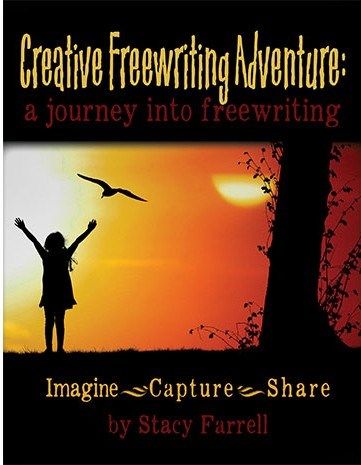
One of the products we have been able to try out lately in order to review for The Homeschool Review Crew is Creative Freewriting Adventure, from the Home School Adventure Co. I requested this item for review because we often have a hard time coming up with ideas for writing stories for our homeschool writing group, Dead Boring. I thought maybe this book would help with that. Well, it has—but not for everyone, as I was hoping. It was a bit too involved for most of the children, but Mr. Intellectual is doing very well with it.

I downloaded both the basic Creative Freewriting Adventure book and the Creative Freewriting Adventure Coloring Book Edition. They are the same except that the Coloring Book Edition has a coloring picture to go with each assignment. Mr. Intellectual was not interested in that, so we didn’t use it at all.

There are ten exercises in the book. Each one gives you a story to set the stage, and then suggests several things to incorporate into your story. After studying these two or three pages, you are to set a timer and write for 15 minutes. Use your imagination and come up with a continuation of the story you were given in the beginning, putting yourself into the scene! After reading the first assignment, I was inspired to write a story, and it was quite fun. I don’t normally do fiction at all; I’ve never been able to come up with much of anything. This was different, though. It was very easy. I’ve been wanting to do another of the exercises, but haven’t had time. Maybe someday soon. I typed my story into the computer, rather than handwrote it. Here is my story:

IMG_2081

Mr. Intellectual has now completed four of the exercises. He is spending a lot more than 15 minutes per story. Each day he works on it for 15-30 minutes. He started out typing, but his speed is still pretty poor, so I had him dictate into the computer. Esther found a program, some extension of Google Chrome, which converts speech to text, so he’s using a microphone and “writing” that way, then correcting what comes up on the screen. He still has so much to write for each story that it takes him several days to write each one! Here is one of his stories:

IMG_2082

And, what are these assignments like? The first four feature famous Greek philosophers. A little of their life is described, and then you are assigned a scene to put yourself into. Several questions help you think about what might happen next, and you are asked to think about your senses. What do you see, hear, feel, smell? The next four follow the same format, but have to do with the book The Wise Woman, by George Macdonald. The last two have to do with eternity and Jesus’ birthday. It will sure be interesting to see what Mr. Intellectual comes up with for some of these exercises!

I’m glad I chose to use Creative Freewriting Adventures. Stacy Farrell has done a superb job of making writing fun. I don’t know if I’ll ever use this product again (it is a digital download, so I will have it available as long as it is in my harddrive), but it is certainly worthwhile for my budding writer.

Resources with a Biblical Worldview{Home School Adventure Co. Reviews}

Crew Disclaimer

Filed Under: Book Reviews Tagged With: Homeschool Review Crew, Homeschooling, Product Review

Product Review—Math Mammoth

March 1, 2017 by NZ Filbruns Leave a Comment

It’s turning out to be an interesting school year, with the opportunity to review products for the Homeschool Review Crew! When Math Mammoth came up, after studying the available products, I decided to request a couple of titles from their Blue Series. I chose Subtraction 1 and New Zealand Money. I was especially happy for the money unit; the curriculum I’ve put all my children through and have no plans of switching away from uses American money. One thing I appreciated about this review is that these are digital downloads, which means I’ll be able to use them over and over as needed.

Mr. Sweetie has been working through these two books. I printed them, except for the answers at the back of each one, and had someone drill holes through the edge, then sewed them together. I put both books together, back-to-back, with one upside-down to the other. That has worked well. Since the last week of January, or so, I’ve been having him do a lesson in one of the books each day, alternating between them.

IMG_1930IMG_1931

I chose the Subtraction 1 unit because Mr. Sweetie was having trouble last year with subtraction and I thought he could do with some reinforcement. I liked how this book started out very basic, defining what subtraction is and showing it with crossed-out pictures. The next lesson showed counting down on a number line to subtract, and then several lessons showed the relationship between addition and subtraction. There is a lot of drawing circles or shapes, then crossing out, and there is lots of illustrations with simple little pictures. I like all the story problems, which help math relate to the real world. Mr. Sweetie is about halfway through this book now, and I’ll have him continue working on a page or two most days, along with his regular math. It gives him some real good practice.

09-IMG_1857

I also had Mr. Sweetie do the New Zealand Money unit. He knew the values of our money, but putting it together and praticing it was very good for him. One thing that was fun was counting out real coins to illustrate an amount on his page! He had the option of using real money or drawing it in the box, so we did it the easy way. Coins worth less than a dollar were introduced first, and then the dollar and 2-dollar coins, followed later by $5 and $10 notes. There are a lot of story problems, and exercises with making change. The most recent lesson we did had a picture of a number of coins, and he was to pretend to be buying certain things, then figuring out how much he had left. That was quite challenging, so we did the lesson over several days. I’m going to put this book aside for now, though, since we seem to have reached a point where he is having a hard time. The next lesson covers rounding when getting change at a shop, and I’m not sure he’ll be able to handle that yet.

01-IMG_1835

I liked the way Math Mammoth is set up, and thought it was very thorough and good at getting the concepts across. If I wasn’t so happy with what we’ve been using for 12 years already, I would be tempted to switch. As it is, if I need something for extra reinforcement, I might well look to see whether there is a booklet about the specific topic we need. I’m also thrilled to have a resource to practice using our country’s money! One criticism of it, though, is that the picture of the 20c coin is wrong. The picture in the book shows the old 20c coin, which is no longer in use. Believe me, my children studied all the other pictures carefully to make sure they showed the new $5 and $10 notes! (They do!) Other than that, though, I was impressed with it.

Would you like to read what about 50 other reviewers have to say about Math Mammoth? Click on the image below to find their reviews:

Affordable Quality Math {Math Mammoth Reviews}


Filed Under: Activities at Home, Book Reviews Tagged With: Homeschool Review Crew, Homeschooling, Product Review

Product Review—SchoolhouseTeachers.com

January 11, 2017 by NZ Filbruns Leave a Comment

I’m trying something new this year. I’ve been reading reviews for over a year now from people on the Homeschool Review Crew, and decided it sounded like an interesting thing to do. Throughout this next year, I’ll have the chance to get free curriculum or other things to use with the children, and then write an honest review of my opinion of the product and how we used it. The first product I was asked to review was a Yearly Membership at SchoolhouseTeachers.com.

Apparently, I had a free membership a few years ago, when I subscribed to The Old Schoolhouse Magazine. I enjoyed that magazine, by the way, but when they changed from print to digital it no longer worked for me because I don’t have a phone or tablet to read it on. Anyway, at that time I never even investigated SchoolhouseTeachers.com, but in the past month I’ve spent a fair amount of time exploring the site. It’s great!

One of the things I used the most was Everyday Games. I printed out several math games to play with Mr. Sweetie. His favorite was one in which you throw a die to go around a game board. Most of the spaces have addition facts on them, but some have a penguin. If you land on a penguin, you go back to start; if you hit a fact that adds up to 11, you get an extra turn. He loved that game, and we played it over and over before we quit doing school for the summer. Another game I printed had circles all around the edge with numbers in them; you wanted to cover up two numbers that added up to 10, and get the longest string of tokens in order to win. There was another that required adding up to 13, and Mr. Inventor and Mr. Diligence got into that one the one day. They stole it from Mr. Sweetie and I, and spent a lot of time playing it! With that game, you could use either two or three numbers at once, which meant you had a better chance of getting the longest string. They loved the challenge. These are such simple games, but my imagination isn’t good enough to come up with something like that on my own. I look forward to trying more of the games as we need to reinforce different topics in reading and math.

07-IMG_1447

Another course we used a lot was Drive Through History. Mr. Intellectual loved those videos. He’s been working his way through American history using them. Each video is about half an hour long, and follows the narrator as he goes to various historical buildings and tells the story of what happened there. I’ve heard a lot about what my boy has learned from them. There are worksheets to go along with each video, with two pages of simple questions and a page of more involved essay questions. Mr. Intellectual’s only gripe with the worksheets was that some of the questions were out of order, making it hard to answer as he went through the video.

21-IMG_1486

We’ve also been enjoying the Videos tab. We don’t generally spend money on DVDs (I’d rather buy books), and we don’t watch very many, but occasionally we like to spend an evening together watching something. Actually, I should clarify. The rest of the family likes to do that; I don’t get into movies much. We discovered a gold mine on SchoolhouseTeachers.com, though—the Torchlighters series of cartoon-style animated movies telling about the lives of famous Christians. We’ve watched several since we got access to them, including the ones about Corrie TenBoom, Amy Carmichael, Samuel Morris, and others. The favorite so far was John Wesley, especially the part where he was thrown out of the church! One thing I like about these movies is that they are only half an hour long.

1-fullscreen-capture-192017-85723-pm-bmp

There are so many courses available on SchoolhouseTeachers.com that it’s almost overwhelming to look at it! There are over 300 courses covering all subjects, from Art and Bible to History, Geography and Science. Esther asked me recently about a bookkeeping course, and there it was. I thought she might be interested in the graphic design and photo editing courses, as well. I might have Mr. Diligence try out the course on photography; he loves taking pictures. There are even courses for parents. I read the articles included in “When Things Don’t Go as Planned”, and it really comforted me to know that other parents have had things go horribly wrong in their families as well, and to hear what another parent learned from God through hard times.

It’s easy to find exactly the courses you need, whether you are building a complete curriculum or just filling in gaps. If you click on the “Quick Links” tab, you’ll find a list of all the courses, sorted by topic. If you’re looking for courses in a particular subject or grade, there are tabs for those, too, and there is also a tab for planning. I just clicked on that one for the first time, and was excited to find some things I needed! Oh, and The Old Schoolhouse Magazine that I don’t read anymore because it’s too difficult for me, since all I have to read it on is my laptop and I hate staring at the computer screen that long? All the back issues since 2007 are available!

A Yearly Membership costs $90 for the next few days, but after January 15 that price goes up. Is it worth it? For me, no; I wouldn’t use the site enough to make it worthwhile. However, you could easily use the courses offered here for all your homeschool needs, and then it would be very worthwhile to buy the membership. Take a look at what is offered—it’s incredible!

Crew Disclaimer
For reviews from many other people, click on this image:

High-quality, Self-paced, Online Homeschool Resources {SchoolhouseTeachers.com}

The links contained in this review may be affiliate links.

Filed Under: Book Reviews Tagged With: Homeschool Review Crew, Homeschooling, Product Review

  • « Go to Previous Page
  • Page 1
  • Interim pages omitted …
  • Page 5
  • Page 6
  • Page 7

Primary Sidebar

  • RSS Feed
  • Facebook
  • YouTube
  • Goodreads

Recent Posts

  • Franz Josef
  • Book Review–God Storys
  • Church Picnic and Coal Mine
  • Napoleon Hill
  • New in the Library! March 2026

Archives

Disclosure

Some links on this site are affiliate links.

Subscribe to the Blog

/* real people should not fill this in and expect good things - do not remove this or risk form bot signups */

Intuit Mailchimp

The Family:


Dad and Mom (Gayle and Emma)

Girl #1, Esther, my right hand

Boy #1, Seth (Mr. Handyman)

Boy #2, Simon (Mr. Inventor)

Boy #3, Mr. Intellectual

Boy #4, Mr. Diligence

Boy #5, Mr. Sweetie

Boy #6, Mr. Imagination

Girl #2, Little Miss

Girl #3, Miss Joy

Book Reviews Website

IgniteLit

COPYRIGHT © 2026 · TWENTY SEVEN PRO ON GENESIS FRAMEWORK · DISCLOSURE & DISCLAIMER · PRIVACY POLICY