• Skip to primary navigation
  • Skip to main content
  • Skip to primary sidebar

Lots of Helpers

Our family's life in New Zealand

  • Home
  • Our Library
  • Math Freebie
  • Contact Us
  • Legal Policies
    • Disclosure and Disclaimer
    • Privacy Policy
You are here: Home / Archives for Product Review

Product Review

Product Review–BibleMemory.com

February 22, 2022 by NZ Filbruns Leave a Comment

Disclosure: I received this complimentary product through the Homeschool Review Crew.

After we bought an iPad in December, I asked Esther if she knew of any good Bible memory apps that I could use with it that would help me with memorising scripture. For many years I’ve been working on memorising large portions of the Bible, but I’ve been frustrated with how hard it is to actually learn them. I have been just using my Bible, running a card down the page to cover up what’s coming next and trying to recall the passages and recite them that way. However, when you can read nearly an entire verse a glance the way I can, it is too easy to just read the passage instead of reciting it. I wanted an app that would help me to learn the words of the Bible. She found me one, and while it had some fun games it didn’t really do what I wanted. Then, I was given the opportunity to try out a subscription to The Bible Memory App–Bible Memory PRO from BibleMemory.com. I jumped at the chance. I’ve been using it now for about six weeks and I am impressed. Memorize Bible Verses with BibleMemory.com

It took me a week or two to really learn how to use Bible Memory PRO, and at first I wasn’t sure I liked it. It didn’t have the fun games that the other program had, and there were a few facets of the program I had a little trouble wrapping my head around. However, the more I have used it the more I like it. Setting up an account was the first step. With a Pro account four different people can have their own account. For this review I was allowed a few more than that. Esther and Elijah and I all signed up and so did Mr. Sweetie and Mr. Imagination. You have the choice when adding verses to add single verses or entire chapters. Each verse or chapter can be put into a collection. The collections make it easy to find what you need, although it took me a couple of weeks to figure out how I wanted to organise my collections. It’s very easy to change the names of collections, or even move chapters from one collection to another. Each chapter becomes a sub collection of its own.

After adding a chapter it’s time to learn the verses. You learn one verse at a time. First read the verse, then type the first letter of each word. Do that twice, or more often if you did not get 90% of the words correct. The first two times through you can see some of the words flickering on and off which gives hints to what all the words are. After those two times through you have to type the first letter of each word without seeing any of them to test your memorisation. You also have to remember the reference. If you got 90% accuracy you are considered to have memorised that verse and are ready to move on. I like to learn one verse a day from the passage I’m currently working on.

Each day you are told you need to review certain verses. The program pays attention to how well you know the verse when you review it, and decides from that how often you need to review it. If you did not get 90% of the words correct it suggests that you swipe the verse off the screen and redo it. I like to use the setting to combine all verses needing review which shows me the text of the verses that the program doesn’t think I need to review that day and leaves blanks for the ones that need to be reviewed. You can also choose to review the entire chapter in one go, or you can review individual verses – whatever works for you.

There are two other options for reviewing verses besides typing the first letter of each word, but I have not used them. One is flashcards; I just looked at it but I could not see how it was supposed to work. The other is drawings; I am guessing that you may need an Apple pencil to draw on an iPad and I do not have that. Like I said, this program does not have a lot of fun games for reviewing verses, but it is very effective. I am remembering the chapters I’m trying to memorise much better than I was before. Esther said it is helping her to learn better as well. Elijah quit using it soon after he started. He didn’t feel like it was the right program for him. Mr. Sweetie and Mr. Imagination used it for a short time, but they are not fast enough at typing for it to work very well for them. If you don’t know the keyboard very well, you lose too much time hunting for the correct keys. I may try them with it again sometime in the future. And speaking of finding the keys one thing I appreciate is that if you hit any key that touches the correct one it counts it to be correct. Since I’m using it by tapping the on-screen keyboard, with usually just my index fingers, it’s very easy, when going fast, to hit a nearby key instead of the one I want. Of course, that also means that if the correct word is different from what I thought it was but begins with a letter very close on the keyboard to the one I was trying to hit the program thinks I know the verse better than I actually do.

Bible Memory PRO can be used on any device. Esther and Elijah have used it on their iPhones. I am using it on my iPad. It can also be used on a computer or an Android device. As long as the device is connected to the Internet it syncs with wherever it was used last. Overall I am very impressed with this program and I intend to keep using it. I’m thankful to have had the opportunity to review Bible Memory PRO because it has given me the tool I really needed to memorise scripture more easily. Click on the image below and have a look at other families’ experiences with the program.

Click here to read more reviews!

Filed Under: Book Reviews Tagged With: Bible Study, Homeschool Review Crew, Homeschooling, Product Review

Review Crew—Blue Ribbon Awards

November 24, 2021 by NZ Filbruns Leave a Comment

Every year, the Homeschool Review Crew asks for votes on favorite reviews. I didn’t manage to get my votes in this year, but when I looked over the list of reviews we did this year, I realized this was our best year yet! I wrote 20 reviews, and 9 of them were for products that I liked well enough to continue using or use again. The Crew just posted their list of Blue Ribbon Awards, and I noticed that several of the winners were also among our favorites!2021-blue-ribbon-awards-pinterest-683x1024-1

I have been pulling Superstar Spelling out periodically to help Mr. Imagination practice spelling. I like that I can make up my own spelling lists for him with it, using words that he misspells in his regular work. When he’s using Superstar Spelling, he’s definitely more careful with writing his answers!

Teaching Textbooks turned out to be a perfect fit for Mr. Diligence for this, likely his last, year of high school. He did Geometry, and the video lectures worked well for him. By the end of the year, it was taking him two hours to work through one lesson, but he maintained a 92% average all year. I remember struggling with Geometry, even though math, in general, was easy for me, so I was very glad to have a course that worked so well for him. Teaching Textbooks is a math course that I will be happy to pay for in the future, for high school math. Teaching Textbooks was voted the favorite Middle School resource this year by the Crew.

My younger children loved One More Story. They spent a lot of time for awhile listening to books on it, and Little Miss was asking if she could use it again a few days ago. I like the selection of older, wonderful picture books on this site.

We’re still working our way through Sparkling Bits of Writing, from Creative Word Studio. I really like this creative writing course! Lessons don’t take very long, and they are quite varied. Each one is fresh and new, and requires creative thinking! We’re doing a lesson, on average, once a week.

We’re also still working through Project Passport: Ancient Egypt from Home School in The Woods. We started using this course in June, and are up to Stop 13 by now. We’re doing a stop about once every two weeks at the moment, which seems to be about right for us. I am liking the variety of activities that are used to teach about different aspects of Egyptian life, history and culture. Home School in the Woods was voted the favorite history/social studies resource by the Crew.

The Fallacy Detective is a very good book. We haven’t quite finished it; the goal was to read one lesson each evening, but after I got the review written we let life get in the way. We read one this week, though! It has made a difference in the way several of us think. We were talking to a friend a month or so ago, and twice during the conversation, as she was relating things other people had said, we identified fallacies. We also, now, more easily notice and identify fallacies in things we hear in the newspaper and from the government. This book is the favorite elective with the Crew.

Little Miss is still enjoying Beginning Thinking Skills from The Critical Thinking Company. We’re almost to the end of it now. She most enjoys the pages we can do on the computer; the ones that I print out for her to do something with are less popular, because they require work. She likes figuring out the puzzles.

I’m planning to use the Wagon Wheels Progeny Press guide again when Miss Joy is old enough. The trick will be remembering we have it! I really like that kind of study. Progeny Press was voted the favorite literature resource of the year by the Crew.

MathRider will continue to be used as extra practice for math facts, too. Even the speed drills and flashcard practice built into our regular math program isn’t enough to really get my children fast with their math, so I’m hoping MathRider will be a help. This was the favorite math supplement with the Crew this year.

From other years, there are a few review products that really stand out. We reviewed Let’s Go Geography twice, in 2017 and 2020. We’re still working our way through that course, a lesson every couple of weeks. We’re using Page a Day Math here during our summer break, for more practice with basic facts. As a family, we’re working our way through Experience Astronomy from Journey Homeschooling—we only have a few lessons left. I think everyone is finding it very interesting! We just finished going through Bible Unearthed from Drive Through History. When we first did the review, those of us who are at home every day went through most of the lessons; later, we started watching them in the evening so Gayle and the older boys could see them. Grammar Planet was also a winner. Elijah and Mr. Diligence both made it through the entire program, and I’m planning to buy it for Mr. Sweetie next year.

I’ve always had trouble fitting in “extras” like history and geography. A couple of months ago I changed tactics and, instead of trying to fit them all in every week, we’re rotating through them. We’re using Exploring Creation with Chemistry and Physics for science right now; it has 14 lessons, which are each a chapter of the book. We spend several days or a week working through one of those chapters, then do a writing lesson from Sparkling Bits of Writing. Then, we spend three days doing a geography lesson from Let’s Go Geography, then another writing lesson. Next, we spend a few days or a week doing a lesson about Ancient Egypt, and then another writing lesson. Then, the cycle starts over. So far, this is working well. We get in all the extras I want to do, and are able to focus on each subject for an entire lesson, but don’t get burned out on one subject. I don’t know if it would have worked with my older children, but with the three I’m teaching right now, it’s fairly popular!

To see what other programs or products won the Blue Ribbon Awards, check out this post. Also, if you have a blog, public Facebook page, YouTube channel, or Instagram page, and want to join the Homeschool Review Crew, fill out the application here. New members are always needed as families age out!

Filed Under: Book Reviews Tagged With: Book Review, Homeschool Review Crew, Homeschooling, Product Review

Product Review—I Know It

November 16, 2021 by NZ Filbruns Leave a Comment

Disclosure: I received this complimentary product through the Homeschool Review Crew.

We finished our math books for the year early, in October, and we won’t be starting our new books until February, so I was happy to try I Know It to fill in the gap so that Mr. Sweetie, Mr. Imagination, and Little Miss won’t forget everything they’ve learned! I Know It has math lessons for grades K-5, so it worked perfectly for us right now. It is intended as a supplement to any math curriculum; I just picked lessons that reviewed or reinforced concepts that I felt each child needed a bit more practice with before we drop studies altogether for the summer.

I Know It

I Know It is very easy to use. We were given a Family license. With this license, there is only one login/password for everyone in the family, and when we login, we simply click on the picture with our name. I Know It-1I like that, because it can be tricky to have a different password for each child! It’s very easy to switch users with this system. There are two ways to approach lessons. You can let each child choose their own lessons, or you can assign lessons. I chose to assign lessons, which is also very easy. I simply got onto my page, browsed through the topics and looked at the sample problems, which appear when I hover over a lesson.I Know It-2 Then, if I want someone to do that lesson, I click the check to the right of the lesson title. A box pops up which allows me to assign the lesson to any or all of the children. I can also choose how long the lesson stays on their home page, how many problems I want them to work (1-40), and whether they need to redo the lesson if they get less than a certain percentage correct. Then, click Assign Now, and the lesson is on that child’s page for them to work through when they next login! After I showed each of my three students how to use the program, I didn’t have to help them much at all except for assigning more lessons when they had completed the ones I had already given them. I did find out that Mr. Sweetie can’t remember what add, subtract, and multiply mean. He gets them mixed up! Oops. (I think he’s slightly dyslexic.)

The parent dashboard gives all sorts of reports about the children’s progress. One tab shows fun graphs of what they have accomplished. Another shows the lessons they have worked on and the scores they got. Obviously, one of them is struggling with decimals!I Know It-3

I Know It-4Children are given immediate feedback for each problem. If they got it right, a banner shows up across the problem, saying “Good Job!” or something like that, and the robot in the lower right corner of the screen does a dance. I Know It-5If the child doesn’t like the robot, it’s easy to switch to an emoticon or nothing by clicking the arrow beside the robot. Mr. Sweetie, doing 5th grade work, was automatically given the emoticons, because the program figures that older children like them better. He was delighted, however, to figure out how to get the robots that the others had! If the answer is incorrect, the correct answer is shown and explained—and the robot acts very disappointed. I Know It-6

Little Miss enjoyed this program. She did very well with it; school is easy for her. She just finished 1st grade, so that is the level of lessons I assigned to her. She found all that I gave her quite easy, especially since directions can be read aloud so she didn’t have any trouble understanding them. Mr. Imagination didn’t have any trouble, either; he just finished 4th grade, so that’s the level I assigned to him. The first day or two, he had to learn the terminology that was used. He was working with place value, and the wording was different from what he was used to. He soon picked up on it, though, and had no more trouble. Mr. Sweetie, however, had a lot of trouble. I assigned him to work with decimals, and it turned out to be adding, subtracting, multiplying and dividing with decimals, which he struggles with. He has just finished 6th grade, and I gave him 5th grade work, but it was still quite a challenge for him.

I Know It is a great way to supplement a math curriculum. It does well at giving more practice in areas in which a child is weak, and for keeping in practice through holidays. Each lesson, except the decimal ones Mr. Sweetie struggled with, took about 10-15 minutes to complete, so it’s a quick, easy way to keep up skills. Click the image below to see what other families have to say about it!

Click here to read more reviews!

Filed Under: Book Reviews Tagged With: Homeschool Review Crew, Homeschooling, Product Review

Product Review—MathRider

November 9, 2021 by NZ Filbruns Leave a Comment

Disclosure: I received this complimentary product through the Homeschool Review Crew.

One thing I am always on the lookout for is a way to make practicing math facts fun and easy. When we were offered a license to use MathRider recently, I jumped at the chance. This program makes it fun to practice facts. In fact, for the first several days we had it, Mr. Sweetie, Mr. Imagination and Little Miss all competed to be able to play it first! The enthusiasm has lessened somewhat as the facts are getting harder, but they still enjoy it, for the most part.

The basic idea is that you and your horse Shadow go on a quest. You might need to find a flower to cure your mother, a gem that some monkeys have stolen, or the place to which a kidnapped princess has been taken. To meet the goal, you must ride your horse through a series of beautiful and mysterious lands, and the horse must jump one obstacle after another. The only way he can make the jumps is if you answer the math facts correctly before he gets to them. The faster you answer, the faster he runs and the more points you get, which means you finish the quest sooner. Each quest contains as many rides of 30 math facts each as it needs to so that you can get the number of points needed for that quest. MathRider 4

Players only answer facts for one function at a time. It is recommended to do the addition quests first, and then subtraction, followed by multiplication and division. Each function has four levels, and the recommendation is to do the Starter level first, then Intermediate and Advanced, finishing with Master. That last one appears to be just one ride. I’m the only one who has reached that level yet here, and it seemed that finishing was based on speed and accuracy. After every ride, you get to look at the map to see how far through the quest you have gotten. From that, you can see how much farther you have to go to reach the goal.MathRider 1

Each player has their own dashboard with statistics. The “top challenges” are the facts you have missed. MathRider 6

Except for one thing, I really like MathRider. I hadn’t been actively looking for a program to make math practice fun, but I am glad to have this, and we’ll be using it until we stop for our summer break, around Christmas. I like that the children can use this without any help from me, and I like that they are only racing themselves, not other children or the computer. I like that the program adjusts itself quickly to the child’s speed; Shadow walks or runs according to how fast the answer is entered. I really like the simplicity, yet attractiveness, of this program! I also like that the program is offline. You simply download the installer, install the program, and enter the registration key that has been emailed.

The one thing I don’t like is the magical aspect. In one of the quests, there is a wizard who gives you directions for the quest, and the ending is always somewhat magical. It’s such a good program otherwise, though, that we’ll use it for awhile anyway.MathRider 2MathRider 3

Little Miss really likes MathRider still. Mr. Sweetie says it’s “ok.” Mr. Imagination says it’s awful. He has tried the same quest six times and still can’t achieve mastery! I think all three are stuck on the Intermediate level of Addition. It is certainly exposing their weak areas! Mr. Sweetie, for example, doesn’t know 5+7=12 very well. Mr. Imagination has still been counting on his fingers to add, even though he’s in fourth grade; I noticed that by now, after a month of using MathRider, he’s not using his fingers as much. I think that, if we’re consistent with it, he’ll learn the facts a lot better.

Click on the image below to read other people’s reviews of MathRider!
Click here to read more reviews!

Filed Under: Book Reviews Tagged With: Homeschool Review Crew, Homeschooling, Product Review

Product Review—Progeny Press

November 2, 2021 by NZ Filbruns Leave a Comment

Disclosure: I received this complimentary product through the Homeschool Review Crew.

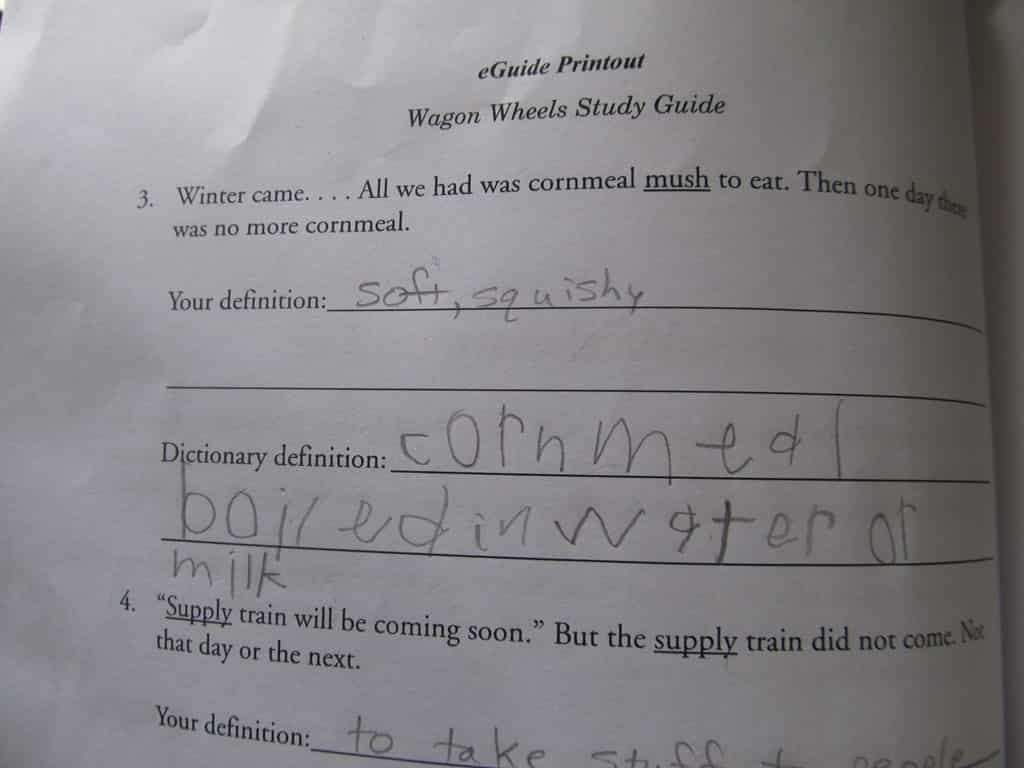
I have been intrigued by the study guides from Progeny Press ever since I first heard of them, before I had children. A couple of years ago, we had our first chance to use one, for review, and enjoyed it. When I was offered another study guide recently, I knew it was something we wanted to do. I chose the Wagon Wheels Study Guide. Wagon Wheels is an easy reader we have had on the shelf for years and a wonderful story.Wagon Wheels 1IMG_0176


Little Miss is the only child I have who was in the correct age range (grades 1-3) for this study, so she was the one who got to go through it. The guide is sent as a fillable PDF, so it can be completed entirely digitally, but I chose to print it. For our family, something on paper is much easier to use than something on the computer, in general. I do appreciate having the PDF, as I can use it again when Miss Joy is old enough.

Before we started reading the book, we read a page of background information and talked about some of the issues that affected the family in the story. We also looked up maps to find where they came from and where they lived.

There are four chapters in Wagon Wheels, and after a few pages of studying some of the more uncommon words found in the book, the child is directed to read the first two chapters, answer questions about them, and then read the last two chapters and answer questions about them. Instead of doing it just like that, I chose to have Little Miss read one chapter a day. After reading the chapter, we answered the questions that went along with it, and studied the words that were from that chapter. The book is just enough more difficult than most she’s reading right now, and the chapters are long enough, that it worked best to spread out the reading over four days.

IMG_0172IMG_0173IMG_0174

After the questions about the chapters (which included studying a few passages from the Bible and discussing how they related to the book), there is a page about Fact or Opinion, and Little Miss had to identify which one each of 15 statements was. She had fun with that! Next, she had to go through the book and find compound words, writing them down on a page. After that, she got to draw pictures to illustrate several compound words. The last activity in the book is a crossword puzzle, which she was quite excited about.

IMG_0175

After all the activities about the story, there are hands-on projects and research projects suggested to extend the learning. At the very end of the book is a list of other books by the author of Wagon Wheels, and other books that have similar topics.

We really enjoyed this study. Little Miss enjoys reading, and she enjoyed thinking about the book. I believe I’ll be looking into doing more literature studies with her in the future; this seems to be something that will work well for her. Be sure to click the image below to read reviews of other Progeny Press study guides!

Click here to read more reviews!

Filed Under: Book Reviews Tagged With: Homeschool Review Crew, Homeschooling, Product Review

Product Review—LightSail for Homeschoolers

October 19, 2021 by NZ Filbruns Leave a Comment

Disclosure: I received this complimentary product through the Homeschool Review Crew.

One thing I decided to do differently with school this year was to try out different ways of doing Language Arts. I’m not totally happy with the course we’ve been using for several years now, so I decided to phase it out and, instead, use programs I get for review, instead. When we were offered a subscription to LightSail for Homeschoolers, I thought this sounded perfect. Lots of reading practice, writing practice, spelling…everything included. For the first week we had access to it, Mr. Sweetie, Mr. Imagination and Little Miss all loved it. They spent a lot of time exploring the books that were available to read. Since then, their enthusiasm has petered out a fair amount, but they are still using it several times a week.

LightSail for Homeschoolers

The core of this program is Reading. The Premium subscription, which is what the two boys have been using, contains more than 12,000 books! That means that anyone should be able to find books that appeal to them. I have found it fascinating to see what my boys have chosen. I knew that Mr. Imagination was interested in animals, but I had no idea how much he would be interested in books with lots of factual information about unusual animals. Most of the books he chose to read were picture books with lots and lots of information in short snippets. His favorite was Nature’s Ninjas: Animals With Spectacular Skills, and he wished there were a lot more like that one! Mr. Sweetie had a harder time finding books that appealed to him. It did help when I reset his grade level, from Grade 6, which he is currently in, to Grade 3. That helped him find more books that were a bit simpler; he struggles with reading. Both boys very quickly found the feature that reads books to them—they liked that much better than reading for themselves!

LightSail is “lexile driven.” This means that each book is rated for the exact reading level, based on vocabulary. The first thing that each of the children did when they started this program was to take a test to determine their exact reading/comprehension level. They would read a sentence or two or a paragraph, and then select a word, from four choices, to complete a summary sentence. This let the program know what type of books to offer. Throughout the books they read or had read to them, they frequently ran into what LightSail calls “clozes.” These are places where a blue box replaces a word in the book, and four choices are given. The child has to select the one that fits best. Based on their answers, the program updates their Lexile level every 15 days. I just checked the data on my three children; two of them went up and down over the course of the six weeks we used this program! Here is a screenshot of one of the questions one of them had.

LightSail 1

The parental controls are very good with this program. Many books require permission from a parent before the child can read them; this frustrated Mr. Imagination because he couldn’t understand why he wasn’t allowed to read a book about wolves, for example! Many times, that was simply because LightSail hadn’t yet checked out the book to make sure there was nothing objectionable in it. However, once it was actually about werewolves, so I was quite glad that I could decline permission on that one.LightSail 6LightSail 7

Other than reading books, there are three other areas that LightSail offers instruction for. We didn’t end up using these areas. One is Writing. There are several different kinds of writing that are offered, but I couldn’t figure out how to assign them. One is apparently accessed by clicking a button when completing a book, but I was never in the right place at the right time to get anyone to do that (imagine… my boys didn’t choose to do a writing assignment!).

Vocabulary is another area of study. This seems to only be activated when a child chooses the wrong answer when doing a cloze. The correct word is studied in several different ways. Once again, we didn’t use this feature much at all—I think I had Little Miss look at it one day, and she couldn’t make heads or tails out of it!

There is also Fluency. From what I saw about it in the information, the child reads a passage into a microphone, and then the parent listens and marks their mistakes. I didn’t even try doing this, because we don’t have a microphone that works with my computer. Anyway, we do oral reading practice every day, anyway.

Little Miss had a different subscription than the boys did. Hers is called World Book Kids, and is for her age group. She has had access to all sorts of fun books about animals. She enjoyed books about pandas, platypuses, flamingoes and many others, and also some books about a dog who gets himself into trouble and learns lessons. In addition to choosing the correct word for a cloze, she also has comprehension questions. She struggles a bit with those, since she hasn’t been able to get them read aloud to her and she doesn’t understand all the words yet. She still loves using the program, and hearing all sorts of fun picture books read to her! Here are a couple of screenshots from her pages.

LightSail 3LightSail 4

There are many other resources available on this site that we haven’t used. The World Book Encyclopedia is on here, and timelines and maps from World Book, as well. One tab has thousands of videos on all sorts of topics, and another has livestreams from places around the world. We decided not to use these, because we were running out of data on our plan, and the livestreams we did look at were pretty boring. That was because of time zones—it is night where most of them are when it’s day here!

So, what do we think of this program? Mr. Sweetie has made it clear that he is no longer interested in it. He would rather read to himself from other books than try to use this program; he wants simpler books than he is offered here. Mr. Imagination likes it, but he has a hard time finding exactly the right book. Little Miss loves it! I think there is a lot of potential here, but it’s not for us. As I keep learning, over and over again, computer programs don’t work as well for us as print books or PDFs that I can print out. I am glad we used this, because it taught me a lot about Mr. Imagination’s interests in books! Now I know better what kind of books to look for at secondhand shops, to catch his interest. Have a look for yourself; this program might be just what you need! Read more reviews by clicking on the image below.


Click here to read more reviews!

Filed Under: Book Reviews Tagged With: Homeschool Review Crew, Homeschooling, Product Review

Product Review—Spelling Ninja from Reading Kingdom

October 8, 2021 by NZ Filbruns Leave a Comment

Disclosure: I received this complimentary product through the Homeschool Review Crew.

A couple of months ago, I was offered the chance to review a program from Reading Kingdom again. We have used programs from this company in the past, and while the children had fun with them, I didn’t find them overly helpful for us. One of the choices offered this time, though, was Spelling Ninja. Mr. Imagination tends to be imaginative with his spelling, as well as in daily life, so I thought maybe this program would help him. He has been using it now for about six weeks.
Reading Kingdom's Spelling Ninja

There are 15 levels in Spelling Ninja. Each level has 10 pages. Each of those pages has a sentence, with a picture to illustrate the sentence. The sentence are progressively longer as the child works through the program. Spelling Ninja 2Spelling Ninja 4Spelling Ninja 5Spelling Ninja 6

Each sentence is read to the child, and then he can read it to himself. When he is ready, he clicks a button or hits enter to show he is ready to move on. Then, he is supposed to type the sentence. In the first level, only one word is blanked out at a time to be typed, but gradually the number of words that are blanked out is increased until, in level 9, where Mr. Imagination is currently working, most of the sentence is blanked out! The idea is to increase his capacity for remembering the words and how they look. He is given a certain amount of time to type each word, and if he can’t get it in that time, the program shows him the word again, and then he has to give it another try. If he has too much trouble with a sentence, he has to type the whole thing again. He can’t move on until he has typed each word perfectly.

When Mr. Imagination first started using Spelling Ninja, he got very frustrated, to the point of tears. He was having trouble finding the keys he needed on the keyboard, and it was also moving too fast for him. I got into his settings and changed it so that he had more time, and that helped. It also helped when he finally learned to check that Caps Lock was off! He has been spending ten minutes a day using this program. To be honest, I haven’t seen much progress in his spelling abilities. I think it’s good practice for him, and maybe someday he’ll learn to pay attention to the spelling of the words he writes. It’s not a magic cure, but hopefully will be a piece in the puzzle of teaching spelling! It is definitely helping his memory for words, since he has to remember eight or ten words of a sentence to complete a page correctly. It should help him learn to use punctuation better, too, since he must type that in correctly to finish a sentence. I really like that he can use the program by himself; I only have to be involved if he runs into trouble.

Click on the image below to read reviews from other families of this and two other programs from Reading Kingdom! I plan to read a few to see if Spelling Ninja helped their children, and if I can pick up some tips to make it work better for Mr. Imagination.

Click here to read more reviews!

Filed Under: Book Reviews Tagged With: Homeschool Review Crew, Homeschooling, Product Review

Product Review—The Critical Thinking Co.™

October 5, 2021 by NZ Filbruns Leave a Comment

Disclosure: I received this complimentary product through the Homeschool Review Crew.

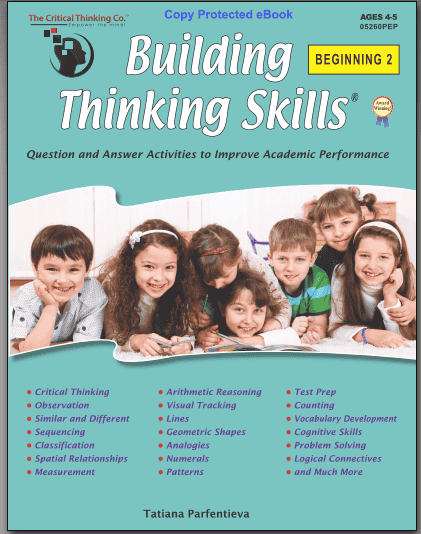
Little Miss and I have been having fun working through a book titled Building Thinking Skills Beginning 2, from The Critical Thinking Co.™. We always enjoy the workbooks we get from this company, and this one is no exception! She loves doing pages from it, and always wants to do more than I had planned. We started out doing five pages a day, but now we’re often doing ten or more.Critical Thinking 3

The first several pages were very simple—name a shape and its color, figure out what “rule” applies to a group of shapes, match shapes and colors. Then there were some activities having to do with numbers of shapes in a group, and then we started working with patterns. Some pages have groups of pictures, and she is supposed to figure out which one is different, point it out, and tell me why it is different. That takes some thinking! As we progress through the book, I’m seeing that similar assignments get more difficult. A new step or concept will be added to the ones we’ve already been doing. For example, instead of shapes of particular colors filling a grid, and having to figure out which one is missing, there might be numbers or symbols, and the colors vary. Instead of one symbol missing from a grid, there are two missing—and then three.IMG_0063

Concepts like halves, longer/shorter, more/less, and taller/shorter are introduced. Most of the pages are very colorful and attractive, although some are black and white. That contrast, in my opinion, adds to the attractiveness of the book. A lot of pages instruct the child to point to a particular item; some say to draw lines to it. Some pages require drawing simple shapes. Little Miss quite enjoys the ones where she is to color pictures with a limited number of colors, and make each one different!Critical Thinking 1Critical Thinking 2

This book is available either in a hard copy or as a PDF. I received the PDF because I live outside the United States and it would have been cost-prohibitive to mail one here. I think I would order the PDF if I was buying the book, though. Most of it can be done on the computer screen, with the child just pointing to things or drawing a line with her fingers. A lot of pages just require talking about what is there! I’m printing the ones that tell her to draw something, and it’s nice that a lot of them can be printed in black and white. The biggest reason I like the PDF is that I will have it for Miss Joy to use in a couple of years, whereas a print book is consumable.Critical Thinking 4Critical Thinking 5

Little Miss is a bit on the older side for this book; it’s intended for use by preschoolers/kindergartners. She does have to stop and think a bit about some of the assignments, though. It’s been good for her to be forced to think logically to complete the activities! As we progress through the book, she is having to think a little more and a little more. I like this book and the way it helps children to think logically! I want to go through it with Miss Joy when she is four or five—I think she’ll love it, too!
Click on the image below to read more reviews of products from The Critical Thinking Co.™.

Click here to read more reviews!

Filed Under: Book Reviews Tagged With: Homeschool Review Crew, Homeschooling, Product Review

Product Review—The HomeScholar LLC

August 12, 2021 by NZ Filbruns 1 Comment

Disclosure: I received this complimentary product through the Homeschool Review Crew.

I’ve been looking over the resources offered by The HomeScholar LLC today. Their High School Solution has a wealth of information and encouragement for any homeschooling family! I listened to parts of both an online conference and a recorded live conference talk by Lee Binz, and read the handouts from these presentations. I didn’t have time to get through all their material, but enough to get a feel for what she offers.

logo-blue-with-mission

The point that is stressed over and over is not to fear! You can do this! You can teach (or rather, direct) your children through high school! Lee gives a lot of information about what should be covered during high school, either to meet college entrance requirements, or simply to prepare for life. With each subject area, she talks about the types of classes or studies that high school students can take and how to use their interests to earn credit. What constitutes a credit, anyway? She tells what, and how to grade classes. One handout available is a planner to help make decisions about what classes to take each year of high school, in order to earn enough credits.

The HomeSchollar LLC

I found a paper about Research Facts on Homeschooling quite interesting. The statistics are from the United States, and are over ten years old, but very encouraging! People’s reasons for homeschooling are also reported here, and some of the results that are seen in homeschooled children as they mature.

I glanced over the materials included in a section titled How to Homeschool the Gifted Child. Not much in that group of talks and articles was very helpful to me; our children are not academically gifted, for the most part. Rather than having to keep up with a child who learns and understands easily what he/she learns in school, I’ve had to push most of mine all the way through! If you have academically gifted children, though, these resources would likely be very helpful. (I’m adding the term “academically” to “gifted” because I consider all my children gifted… but in different ways!)

The section about Homeschooling Struggling Learners is more helpful to me! Most of our children fall in that category. Some have had severe dyslexia; Simon still struggles to read and write. In this section is a talk by Hal and Melanie Young, offering suggestions for accommodations for struggling learners in high school and college. There are also a couple of articles offering advice and encouragement. Even people who struggle through high school can go on to college, with some help!

One piece of encouragement that stood out to me, as it was repeated many times throughout the materials I looked over was that each child is unique. We have to find what works for each one. By the same token, each family is unique. In our family, we have not put an emphasis on going to college or university. So far, our children have not needed it; two of the boys found themselves doing apprenticeships (which include lessons and assessments through a vocational school) in trades, and the third boy is hoping that an apprenticeship will open up for him soon, too, with the man for whom he has been working part time. If you are unsure what direction to go with your children’s high school, the High School Solution might be a good resource for you to look at. There is a lot of information about how to take the SAT and ACT tests here, as well as how to structure high school in general.

All that is under the How-To tab. I haven’t even started on the other tabs, which are labeled Ages, Stages, and Curriculum. And then, there are the bonuses. There is a lot of material here! If you need help or encouragement in homeschooling through high school, definitely check out The HomeScholar LLC. Click on the image below to read what other families have to say about this company, as well.
Click here to read more reviews!

Filed Under: Book Reviews Tagged With: Homeschool Review Crew, Product Review

Product Review—Home School in the Woods

July 7, 2021 by NZ Filbruns Leave a Comment

Disclosure: I received this complimentary product through the Homeschool Review Crew.

We’re studying ancient history this year, from Creation to the time of Jesus. Therefore, when we were offered a product from Home School in the Woods to use and review, I chose one of the Project Passport World History Studies—the one about Ancient Egypt. We’ve never used a Project Passport study before. They looked too big and involved to me, the other times we were offered products from this company. I’m finding it fun, though, and fairly easy, although it will take us awhile to get through it. Because we’re using it as a supplement to the other history we’re doing (two courses simultaneously—yes, I’m a bit of a curriculum junkie!), we are doing no more than one “stop” a week, and last week we didn’t get anything done on it, due to Mom being sick, a first aid course one day, and dental appointments another day. We have made it through the first five stops, though, and I’m hoping to continue doing one a week. Mr. Sweetie (age 11), Mr. Imagination (9), and Little Miss (6) are doing this study, and I’m doing each project with them.

Homeschool in the Woodspp-ae-cover_540x

Each “stop” on our “itinerary” through Ancient Egypt has a few standard activities. We have been adding place names to our map on most stops, and pictures to our timeline. We often get to read and decorate a postcard, and many stops include an audio tour of something (once it was a trip on a boat down the Nile, and yesterday we listened to a man talking about how they were embalming the Pharoah). We also add to a newspaper we’re writing, with a news article or a couple of advertisements each time. Mr. Imagination loves that—he likes to draw! Each stop also includes some sort of craft and a few pages of text that I read aloud.IMG_7624IMG_7669

Some of our projects get hole punched and put into the ring binder IMG_7677we’re each filling up. We spent an entire week working on clothing for an Egyptian man and woman! Some of the pieces of clothing needed to be colored on cardstock, cut out and either put into slits in the person we were clothing, and we also cut out a few pieces of cloth for other items. Another project we really had fun with was the Game of Senet, based on board games found in the tombs. We spent our history time one morning assembling the game from the PDFs I downloaded, and playing it. It’s a two-player game, so we divided into two teams, since three children and I are working on this project together.IMG_7668IMG_7672IMG_7676

We’re also making items in most lessons to eventually assemble into a lap book. So far, we’ve made a mini-book about about the unification of Upper and Lower Egypt, a wheel that turns with information on it about jobs in Egypt, a cookbook (which we plan to use!) and a mini book about mummies, coffins, and sarcophagi. Each of these items is very informative. They are also fairly easy, since the instructions in the Itinerary are so detailed.IMG_7674

There are also craft projects that won’t fit in the books! We skipped the first one, since noone was interested in actually dressing like an Egyptian, but Mr. Imagination and Little Miss are working on the second. They are making a mummy and a sarcophagus, from foil, newspaper, masking tape, strips of white cloth whenever I find them some, glue, and a shoe box—and lots of paint! We are given craft cards to print and store in the notebooks about these projects.IMG_7671

I am very impressed with this course. A lot of work went into making it! It has been organized very well, and I’ve found it easy to use. To prepare for a “stop”, I simply open and print the PDFs for the text and itinerary for that stop, and then read through the itinerary to see what needs to be printed for that stop. All the pages we’ll need for the crafts, lapbook, etc, are in one folder, and labeled by the lesson number, which makes it very easy to find the right ones. The instructions tell whether to print the pages on white or colored paper, or white or colored card stock. (I’m thankful that Esther has found a place we can order the card stock and colored paper online—I can’t get it locally!) We’re learning a lot about Egypt from this project, and I will certainly request more of these projects in the future if they’re offered (I would even buy these!). And, the children are enjoying doing this. Little Miss is the most enthusiastic. Mr. Imagination hates cutting and gluing, but he loves drawing pictures. Mr. Sweetie isn’t overly excited, but I don’t hear any grumbling from him. The variety of projects helps to keep up interest.

Home School in the Woods has downloadable timeline sets that look great! They include pictures of many people and events from various eras of history. The Creation to Christ one looks like it would be great for the study we’re doing right now. Click on the image below to read other people’s reviews of great products from this company.

Click here to read more reviews!

Filed Under: Book Reviews Tagged With: Homeschool Review Crew, Homeschooling, Product Review

  • « Go to Previous Page
  • Page 1
  • Page 2
  • Page 3
  • Page 4
  • Interim pages omitted …
  • Page 7
  • Go to Next Page »

Primary Sidebar

  • RSS Feed
  • Facebook
  • YouTube
  • Goodreads

Recent Posts

  • Franz Josef
  • Book Review–God Storys
  • Church Picnic and Coal Mine
  • Napoleon Hill
  • New in the Library! March 2026

Archives

Disclosure

Some links on this site are affiliate links.

Subscribe to the Blog

/* real people should not fill this in and expect good things - do not remove this or risk form bot signups */

Intuit Mailchimp

The Family:


Dad and Mom (Gayle and Emma)

Girl #1, Esther, my right hand

Boy #1, Seth (Mr. Handyman)

Boy #2, Simon (Mr. Inventor)

Boy #3, Mr. Intellectual

Boy #4, Mr. Diligence

Boy #5, Mr. Sweetie

Boy #6, Mr. Imagination

Girl #2, Little Miss

Girl #3, Miss Joy

Book Reviews Website

IgniteLit

COPYRIGHT © 2026 · TWENTY SEVEN PRO ON GENESIS FRAMEWORK · DISCLOSURE & DISCLAIMER · PRIVACY POLICY